Now on the Chrome Web Store

Queue prompts.
Walk away.

Batch-generate AI images and videos on meta.ai. Paste a list of prompts, press Run, and every finished video and image lands in your Downloads folder — automatically, with auto-retry and smart renaming.

✓ No API key✓ Runs on your device✓ Works on meta.ai
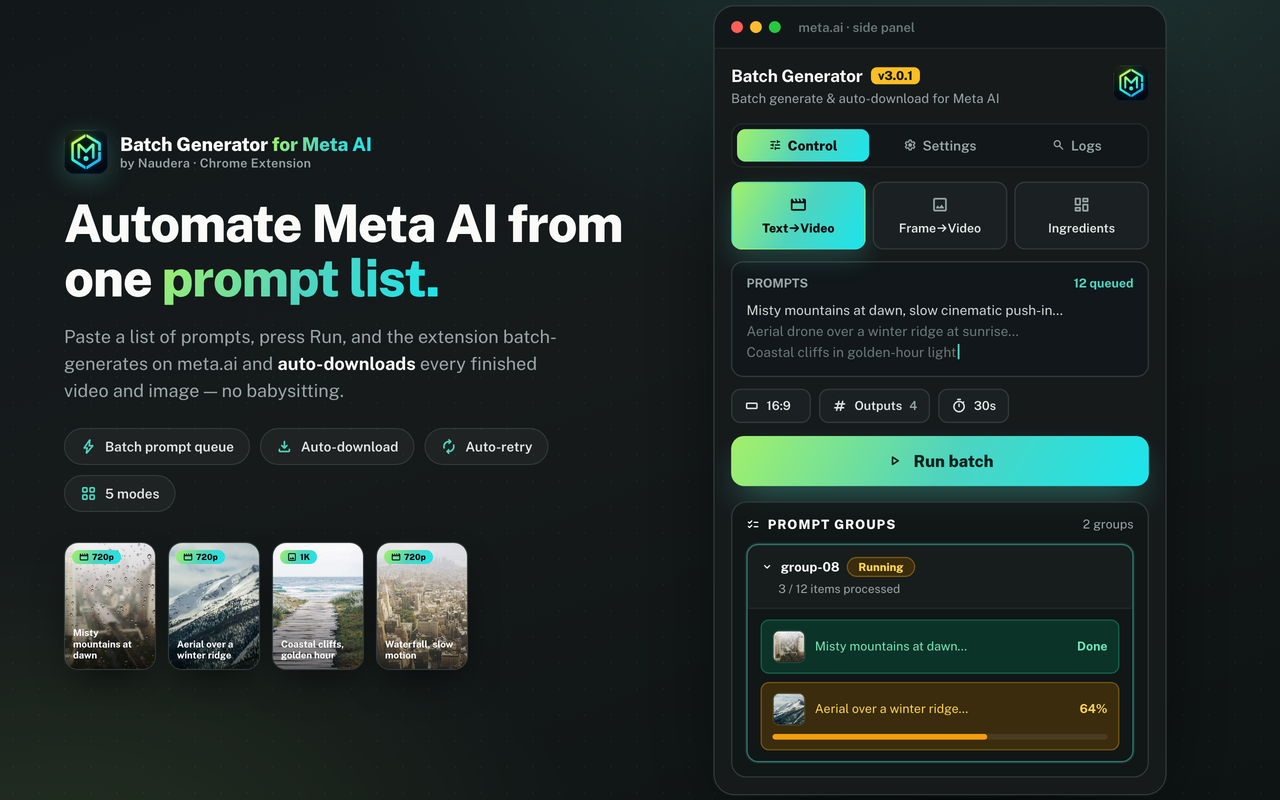
Meta Automation batch generating on meta.ai
Prompts per batch
0
Generation modes
0
Data sent to us
Free
Core, forever
Features

Everything you need to scale your Meta AI workflow

Built for video creators, faceless channels, marketers, and anyone tired of clicking "Generate" and saving files one by one.

📝

Bulk prompt queue

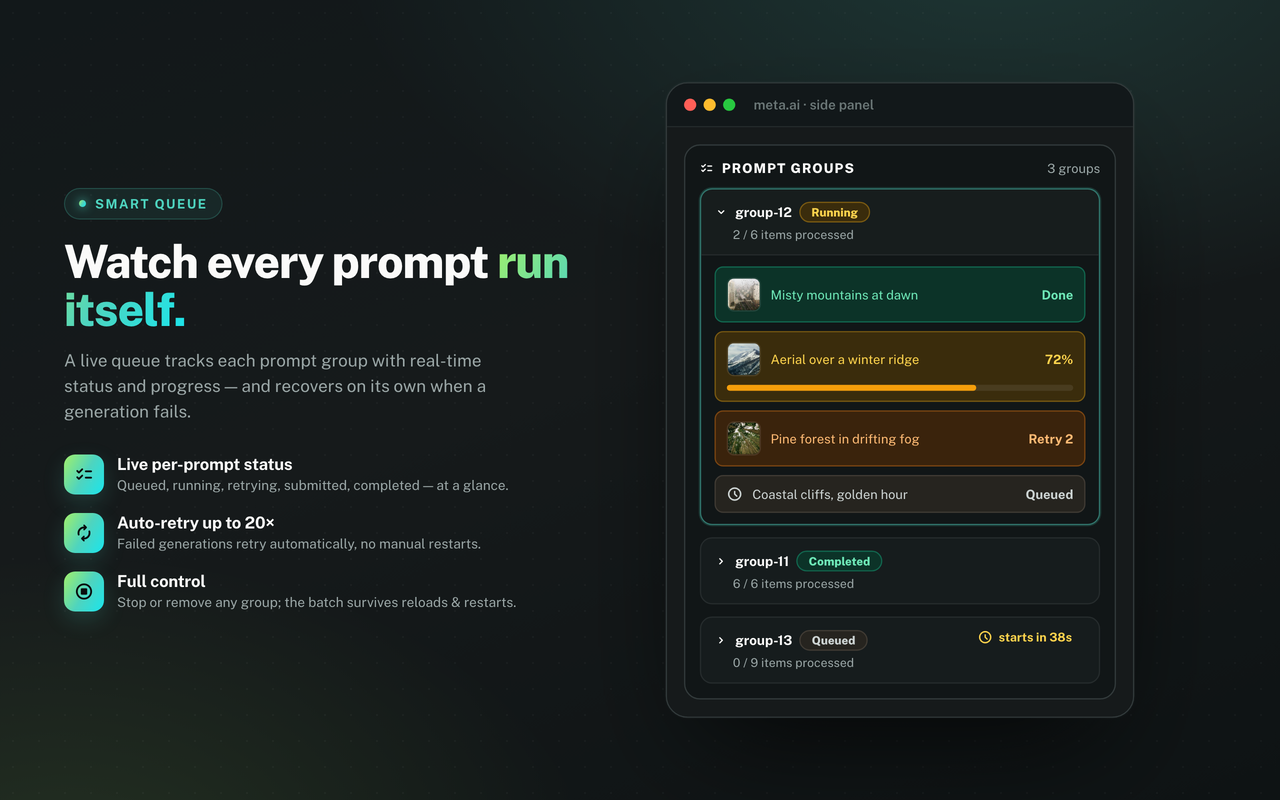
Paste many prompts at once — separated by blank lines — and the extension queues and runs them on meta.ai automatically. Live per-group status: queued, running, retrying, completed.

📥

Auto-download with smart names

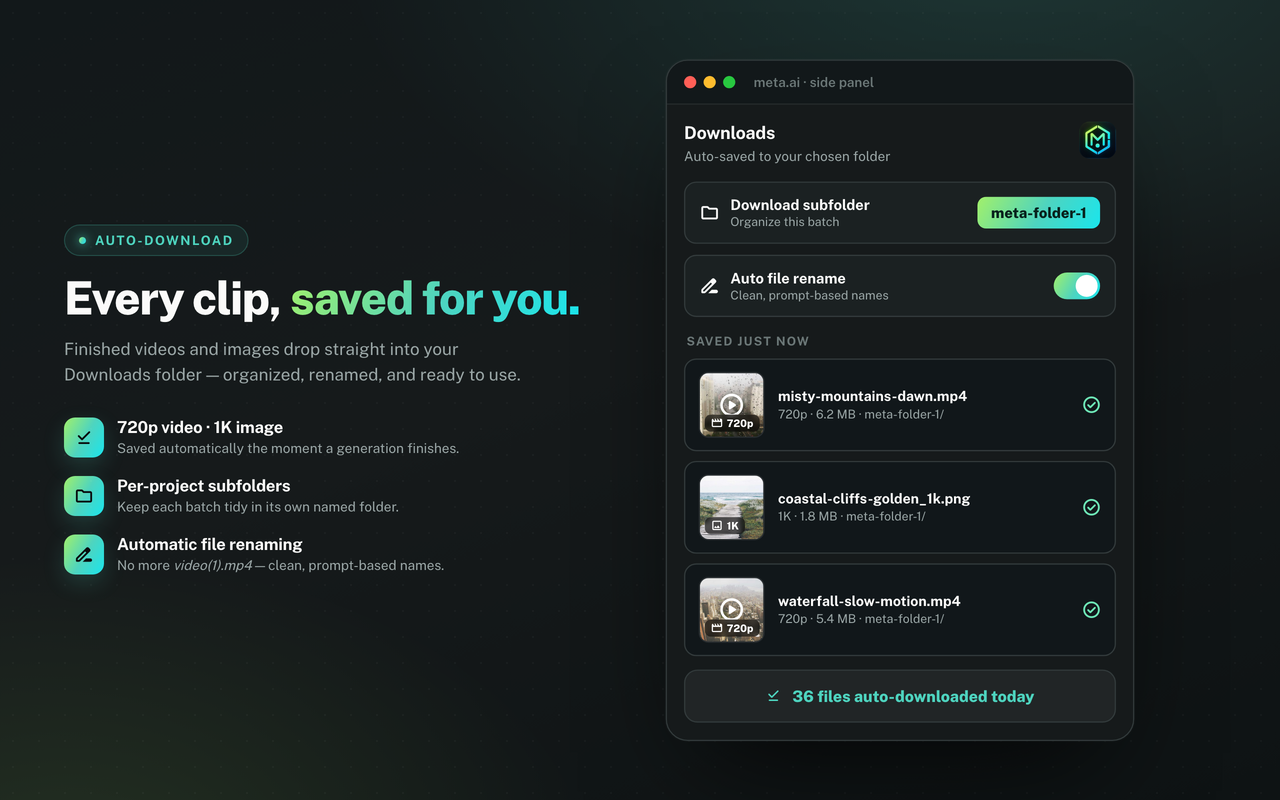
Finished videos (720p) and images (1K) save straight to your Chrome Downloads folder, with an optional per-project subfolder and automatic file renaming.

🎬

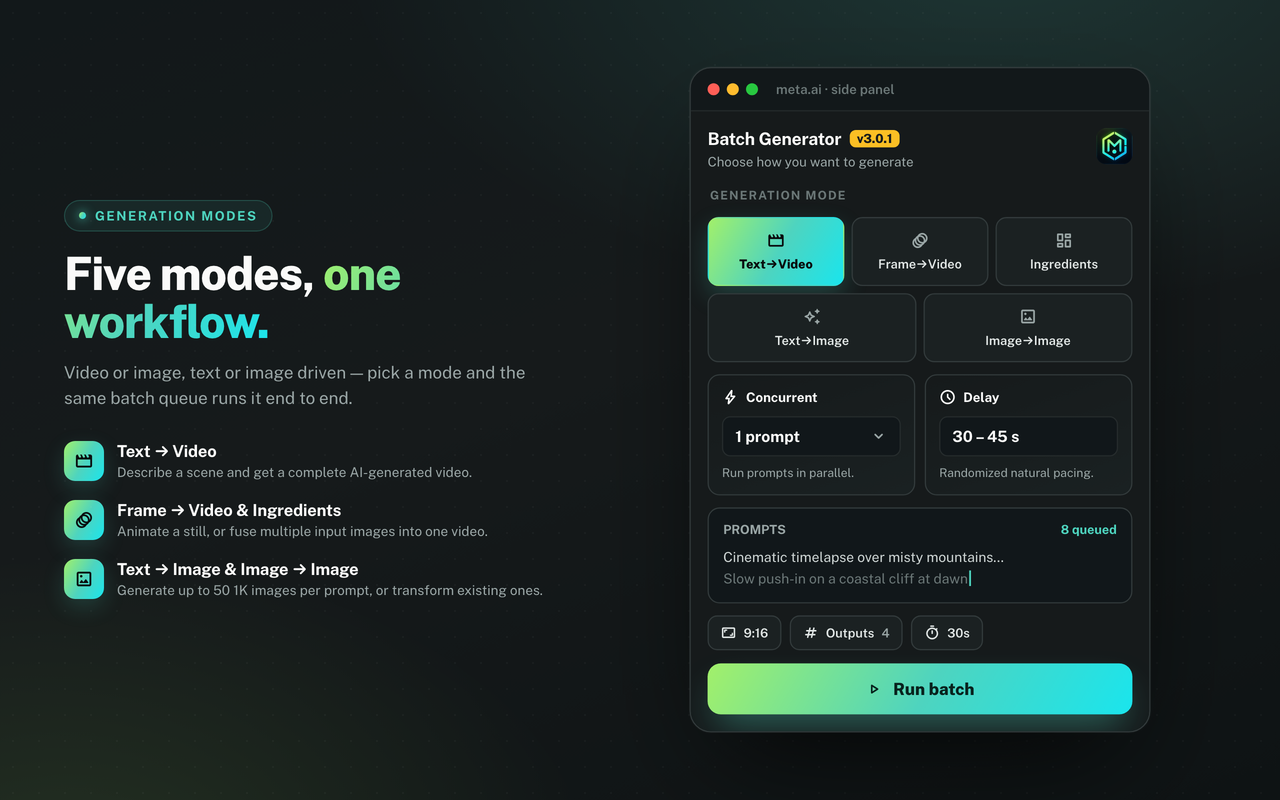
Five generation modes

Text to Video, Frame to Video (image-to-video), Ingredients to Video, Text to Image, and Image to Image. Switch modes per batch.

⚙️

Configurable everything

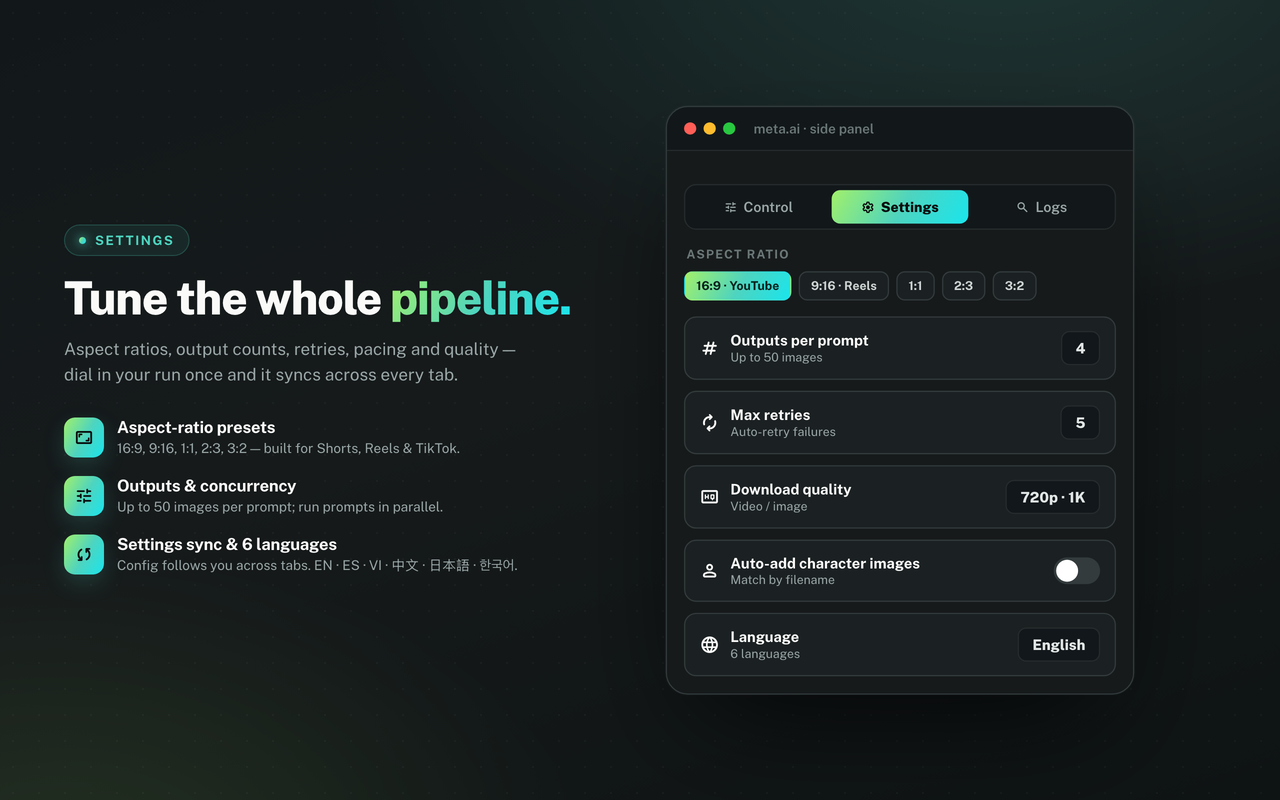
Aspect ratio presets (16:9, 9:16, 1:1, 2:3, 3:2), outputs per prompt (up to 50 images), concurrency, and random delay. Settings persist between sessions.

Auto-retry on failure

Meta AI hiccup? Failed generations retry automatically — configurable up to 20 attempts — before the queue moves on.

📊

Side panel + debug logs

Everything runs from a clean Chrome side panel with Control, Settings, and Debug Logs tabs. Always know exactly what the queue is doing.

🖼️

Consistent characters

Drag in reference images and the extension auto-attaches the ones whose filenames match character names in your prompts — keeping characters consistent across a whole batch.

🔒

Private by design

Your prompts, queue, and settings stay in local Chrome storage on your device. No browsing history is read; nothing is shared with third parties.

How it works

From prompt list to filled folder

Three steps. No API key, no scripting, no setup.

1

Paste your prompts

Open meta.ai, click the icon to open the side panel, pick a mode, and paste a list of prompts separated by blank lines.

2

Press Run

The extension submits each prompt to meta.ai, watches generation progress, and retries automatically if something fails.

3

Walk away

Come back to a folder full of renamed, organized AI videos and images. The queue, retries, and downloads ran themselves.

See it in action

A glimpse of the side panel

Choose a generation mode
Live batch queue progress
Auto-downloaded media
Settings and configuration

Stop clicking. Start batching.

Free core, forever. Paste your prompts, press Run, and let meta.ai do the work while you don't.

No API key. Requires a Meta AI account. Unlimited plan available from $3/month.

⚡ Add to Chrome — Free