Features
Built for designers, video creators, researchers, and anyone tired of clicking "Generate" 500 times.
📝
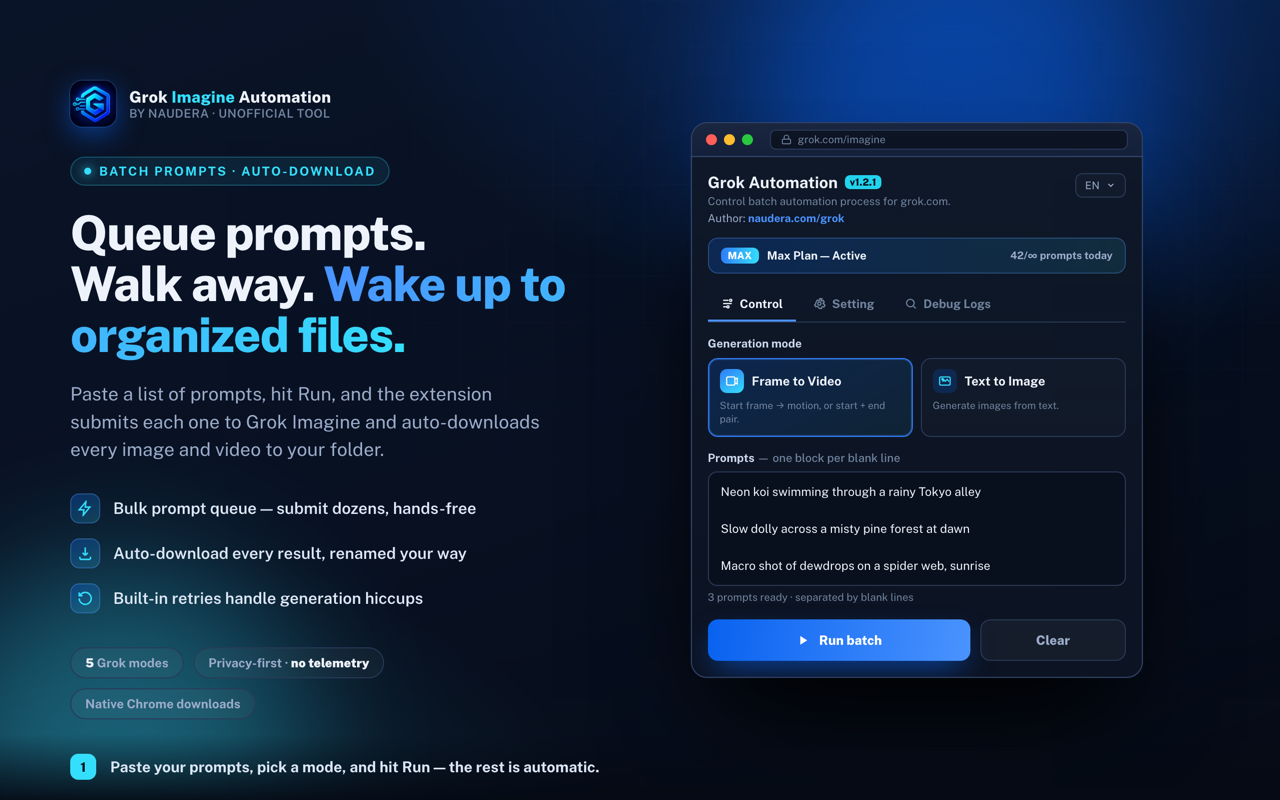
Bulk prompt queue
Paste 10 prompts or 1,000. One per line, CSV format, or use --- separators for multi-line. Auto-deduplicates.
📥
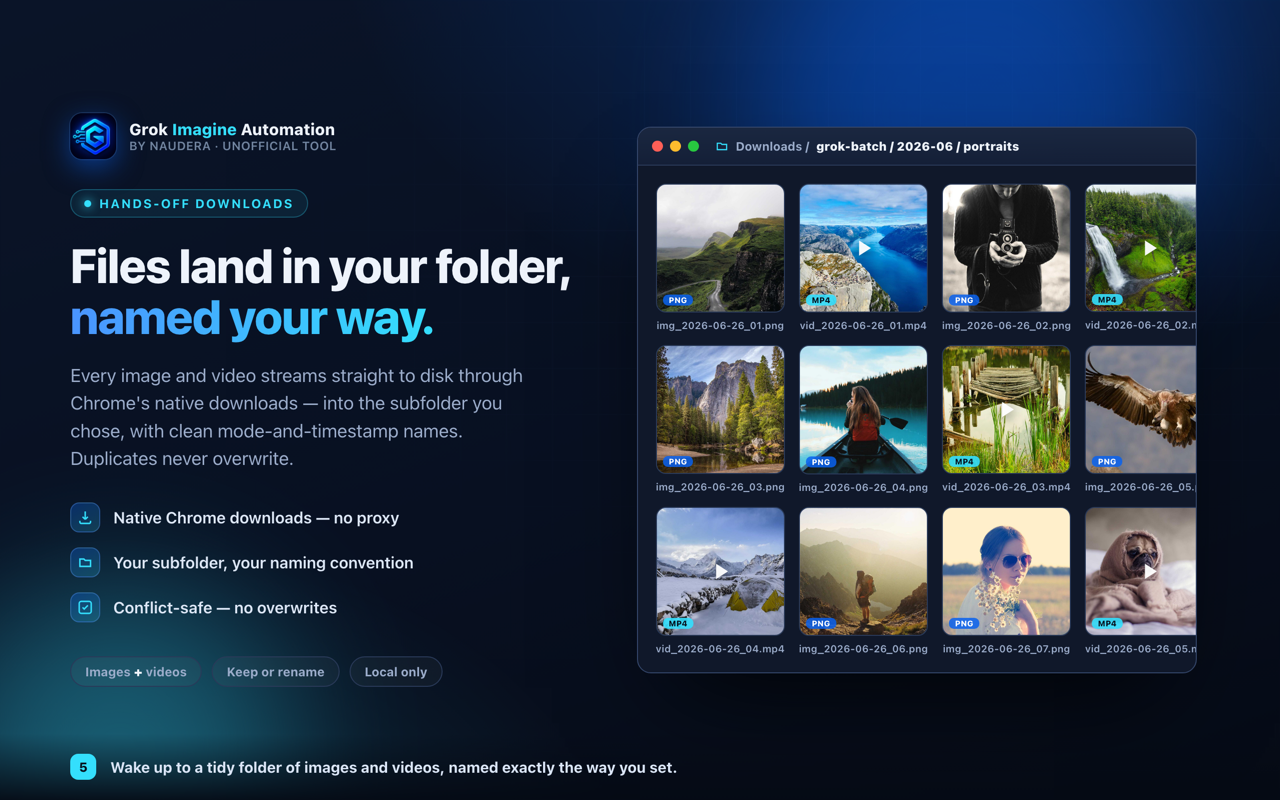
Auto-download with smart names
Every generated image and video saved to your chosen folder with configurable filename templates including timestamp + prompt.
🎬
All Grok modes supported
Text-to-image, text-to-video, image-to-video, frame-to-video, ingredients-to-video. Switch modes per batch.
⚙️
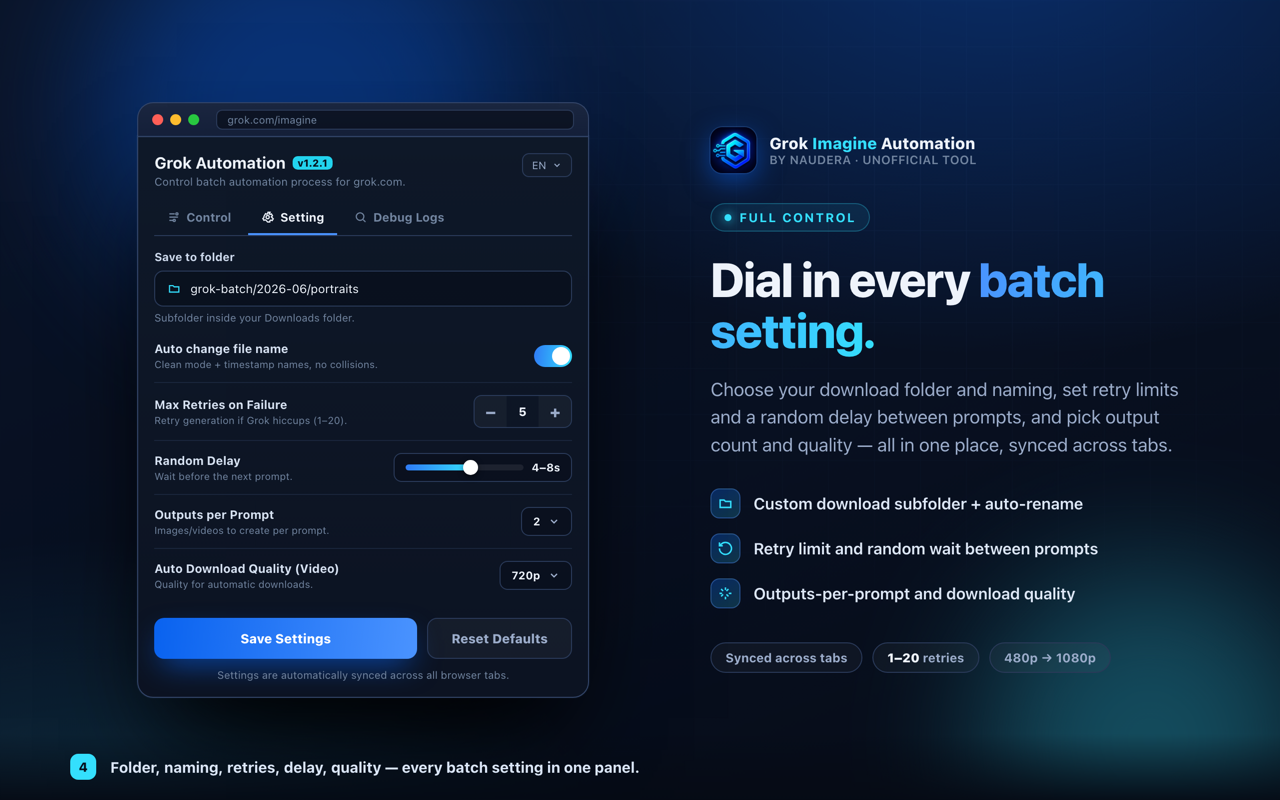
Configurable everything
Aspect ratio, quality preset, video resolution, duration, retry count, delay between prompts. Settings persist.
⟳
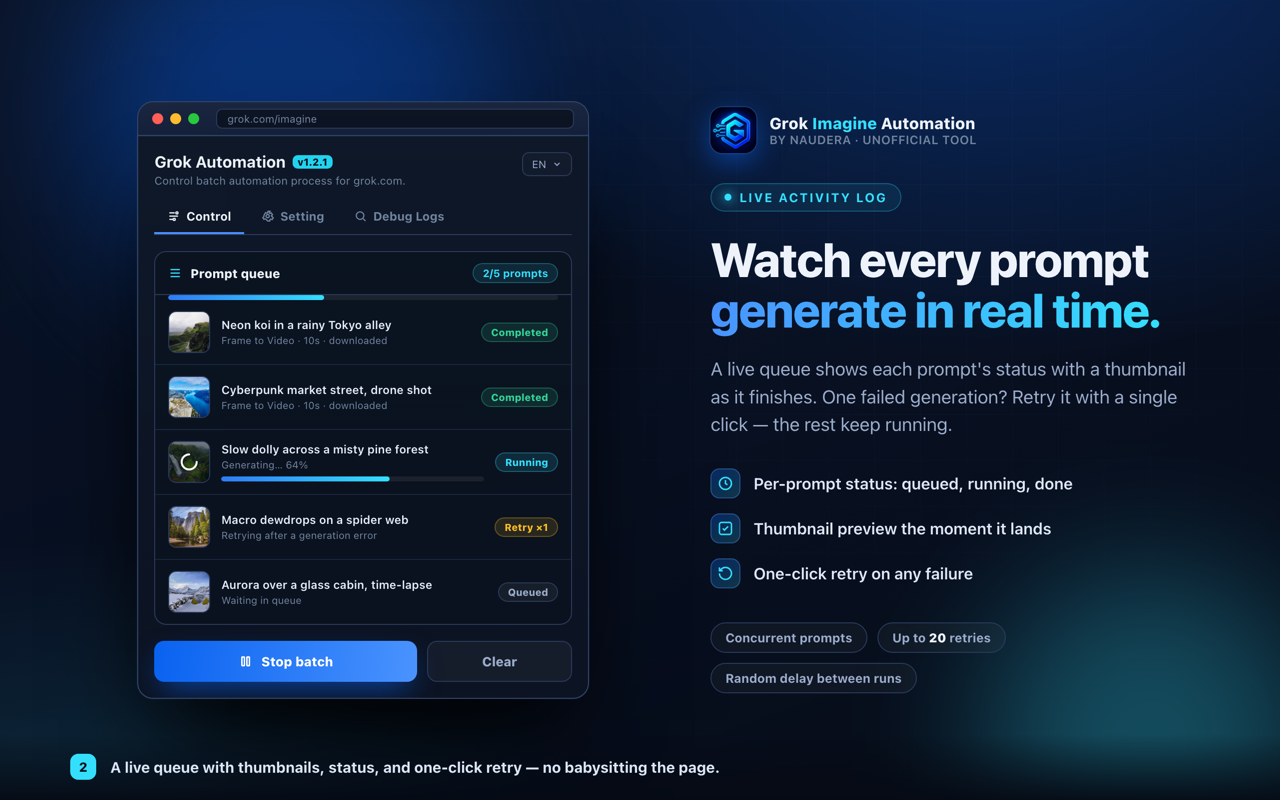
Auto-retry on failure
Grok hiccup? The extension retries failed prompts up to your configured count before moving on.
📊
Live progress + activity log
Real-time queue status, thumbnails of completed runs, errors with retry attempts. Always know what's happening.
🖼️
Reference image support
Upload reference images for image-to-video and ingredients modes. Auto-matches references to prompts by filename.
🔒
Zero telemetry
No analytics, no tracking, no third-party requests. Your prompts and history stay on your device, period.